In 2026, video isn’t just “important”—it dominates the internet. Reports from Sandvine show that nearly 70% of all internet traffic is video content, and that number keeps growing. That means if you’re not producing video content, you’re already behind… simple as that.
So tools like Vidqu AI aren’t just nice-to-have anymore, they’re becoming essential.
This updated Vidqu AI Review goes deeper than a basic overview. We’ll explore real features, including its standout AI face swap, talking photo, and video generation capabilities, plus how it compares to competitors in 2026. And yes, we’ll be honest about what works—and what still needs improvement.
What Is Vidqu AI?
Vidqu AI is an artificial intelligence-powered video creation platform designed to turn text, images, or prompts into engaging AI video content. It targets both casual users and professional content creators, offering a mix of automation and customization.
Unlike traditional video editing software, Vidqu AI focuses on:
- Speed
- Automation
- Scalability
You don’t need editing experience. You just describe what you want, and the system builds it.
In simple terms:
Script → AI processing → Ready-to-publish video
Why Vidqu AI Stands Out in 2026
The AI video market is crowded, but Vidqu AI stands out because of its face-based features, not just basic text-to-video.
While tools like Synthesia AI focus heavily on avatars, and Pictory AI focuses on summarizing long-form content, Vidqu goes further with:
- AI face swap technology
- Talking photo animations
- Multiple face integration in one video
- Real-time rendering improvements
This makes it especially popular for social media, storytelling, and viral-style content.
Key Features of Vidqu AI (Deep Dive)
1. AI Face Swap & Talking Photo (Core Strength)
This is where Vidqu really shines.
With AI face swap, users can:
- Replace faces in videos with high accuracy
- Create face swapped videos for entertainment or marketing
- Generate content using multiple face variations
The talking photo feature animates static images into speaking characters. It’s not perfect every time, but the results can look surprisingly high quality when done right.
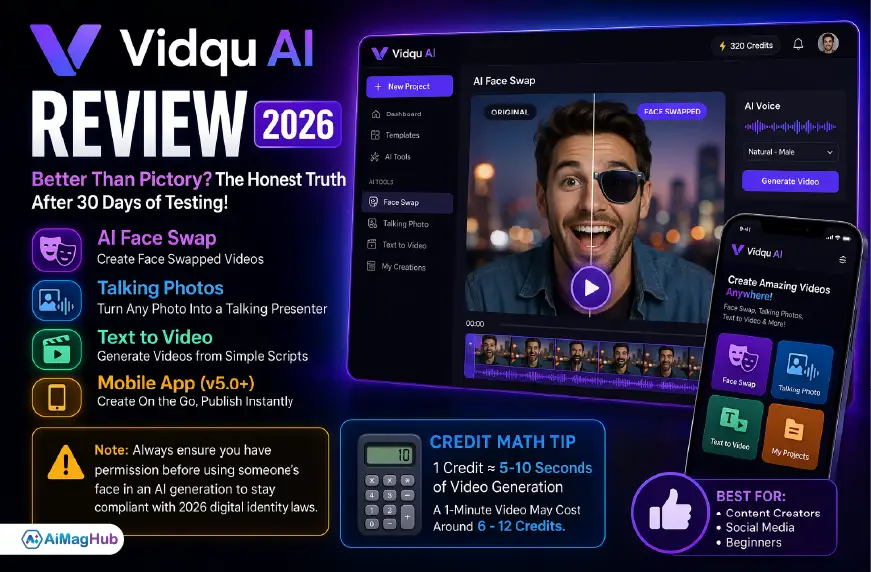
Note: Always ensure you have permission before using someone’s face in an AI generation to stay compliant with 2026 digital identity laws.
Real-world use case:
A creator uploads a static image → adds a script → Vidqu turns it into a talking presenter.
This feature alone makes Vidqu stand out from most mid-tier tools.
2. Text-to-Video Generation
Like many AI tools, Vidqu supports video generation from text. But it’s optimized for speed rather than deep customization.
What you get:
- Auto scene generation
- Smart clip selection
- AI voiceovers
It works well for:
- YouTube automation
- Educational videos
- Short explainer content
For long form videos, you may need some manual edits.
3. AI Voice & Audio Sync
Vidqu AI offers voiceovers similar to Murf AI.
Features include:
- Natural voice tones
- Multiple accents
- Lip-sync with talking photos
Sometimes the emotion feels slightly off, but for most content creation needs, it’s more than acceptable.
4. Templates & User-Friendly Interface
One thing that makes Vidqu popular is how user friendly it is.
Even beginners can:
- Choose a template
- Add script
- Export video
No steep learning curve, which is important for casual users entering AI video production.
5. Mobile App for On-the-Go Creators
While the web version is great for batch processing, the Vidqu mobile app (v5.0+) is quickly becoming the go-to option for creators who manage social media content on the move.
It allows:
- Quick edits
- Instant exports
- Real-time publishing
This flexibility is a big win, especially for short-form platforms like TikTok or Instagram Reels.
Visual Workflow (How Vidqu AI Works)
Imagine the process like this:
Input → AI Processing → Output
- Step 1: Enter script or upload image
- Step 2: Choose AI features (face swap, talking photo, etc.)
- Step 3: AI generates scenes in near real time
- Step 4: Export and publish
This streamlined flow is why many creators are switching from traditional editing tools.
Vidqu AI Pricing in 2026 (Updated Insight)
Like most AI tools in 2026, Vidqu has moved toward a credit-based model instead of unlimited usage.
💡 Credit Math Tip (Important Before You Buy)
Here’s a simplified example (actual rates may vary slightly):
- 1 credit ≈ 5–10 seconds of video generation
- A 1-minute video may cost around 6–12 credits
So if you plan to create multiple videos daily, costs can add up faster then expected.
| Plan | Features | Best For |
|---|---|---|
| Free | Limited credits, watermark | Beginners |
| Starter | Basic exports | Casual users |
| Pro | Higher credits, HD output | Content creators |
| Business | Bulk credits, priority processing | Agencies |
Vidqu AI vs Competitors (2026 Comparison)
| Feature | Vidqu AI | Synthesia | Pictory |
|---|---|---|---|
| AI Face Swap | Strong | Limited | No |
| Talking Photos | Yes | No | No |
| AI Avatars | Basic | Advanced | No |
| Long-form Editing | Medium | Low | High |
| Ease of Use | High | Medium | High |
Conclusion:
- Vidqu = Best for creative and viral-style content
- Synthesia = Best for corporate avatars
- Pictory = Best for blog-to-video conversion
Is Vidqu AI Safe? (2026 AI Governance Perspective)
AI safety matters more than ever now.
Organizations like National Institute of Standards and Technology introduced frameworks like the Generative AI Profile (AI 600-1) to guide responsible AI use.
Vidqu aligns with general SaaS standards, but here are things to check:
- Does it store your uploaded faces?
- Can you opt-out of model training?
- Are videos private by default?
Always review the official privacy policy before uploading sensitive data.
Pros and Cons
Pros
| Advantage | Why It Matters |
|---|---|
| Powerful AI face swap | Unique in mid-tier tools |
| Fast video creation | Saves hours |
| User friendly | No experience needed |
| Flexible features | Great for social media |
Cons
| Limitation | Reality |
|---|---|
| Credit-based pricing | Can get expensive |
| AI inconsistencies | Occasional glitches |
| Limited deep editing | Not for professionals |
| Voice realism | Still improving |
Tips to Get High-Quality Results
If you want better outputs from Vidqu:
1. Keep Scripts Simple
AI performs better with clear, structured sentences.
2. Use High-Quality Images
For face swap and talking photo, input quality matters a lot.
3. Edit After Generation
Never publish raw output—small tweaks improve results big time.
4. Mix Tools
Use tools like Canva for thumbnails and branding.
FAQs (Optimized for PAA)
Is Vidqu AI good for beginners?
Yes, it’s one of the most user friendly AI video tools available.
Can Vidqu AI create long-form videos?
Yes, but it’s better suited for shorter or medium-length content.
Is Vidqu AI better than Pictory?
Depends on your goal. Vidqu is better for creative visuals, while Pictory excels at summarizing content.
Is Vidqu AI safe for business use?
Generally yes, but always check privacy and data policies.
Final Verdict: Should You Use Vidqu AI?
After testing and analyzing trends, here’s the honest takeaway:
Vidqu AI offers strong value in 2026, especially for creators focused on speed, creativity, and scalable video content production.
It’s not perfect, and yeah sometimes outputs feel slightly off—but the AI face swap and talking photo features give it a clear edge over many competitors.
Best For:
- Content creators
- Social media marketers
- Beginners exploring AI video
Not Ideal For:
- Advanced video editors
- Cinematic production work
Key Takeaways
- Video dominates internet traffic in 2026
- Vidqu AI stands out with face-based AI features
- Credit-based pricing is the new standard
- Best for fast, scalable content creation
- Always review AI-generated output before publishing
Visit: Aimaghub