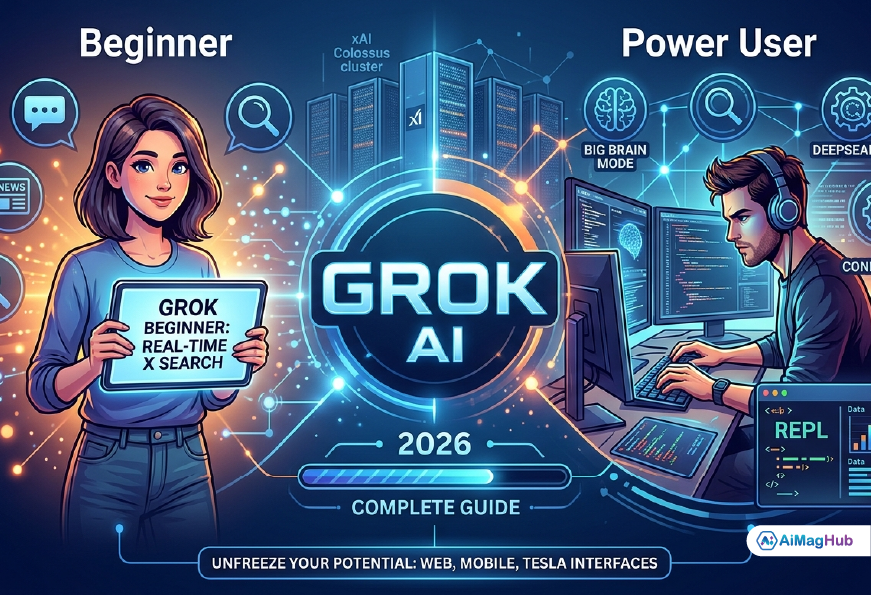
If you’ve been paying attention to the AI space lately, you’ve probably noticed that Grok is no longer just that chatbot people joke about on X. In 2026, it’s a full-blown AI platform — one that’s giving ChatGPT, Gemini and Claude genuine competition. Whether you’re a researcher, a content creator, a developer, or just someone who wants to get more done with AI, knowing how to use Grok AI in 2026 is genuinely useful knowledge.
This guide covers everything: what Grok actually is, where to access it, which plan makes sense for you, and how to use its most powerful features effectively. No fluff — just the stuff that actually matters.
What Is Grok AI, and Why Should You Care?
Grok is an AI chatbot developed by xAI, the artificial intelligence company founded by Elon Musk in 2023. The name itself is borrowed from Robert Heinlein’s 1961 science fiction novel Stranger in a Strange Land, where the word means to understand something deeply and intuitively — and that’s essentially what xAI is going for with the product.
What actually makes Grok different from other AI assistants isn’t just its slightly irreverent personality. It’s the architecture underneath. Grok is the only frontier AI model with native, real-time access to X (formerly Twitter), meaning it can tap into live public conversations, breaking news, trending topics, and social sentiment in a way no other mainstream AI chatbot can. That’s not a minor feature — for journalists, researchers, marketers, and traders, it’s a genuine edge.
The latest models as of May 2026 sit under the Grok 4 family, with the flagship Grok 4.3 now rolling out to paid subscribers. The underlying infrastructure is xAI’s Colossus supercluster in Memphis, Tennessee, which grew to over 500,000 GPUs by early 2026, making it one of the most powerful AI compute setups in the world.
How to Access Grok AI in 2026
There are three main ways to get into Grok, and which one you choose depends on how you plan to use it.
1. Grok.com (Web App)
The simplest option. Head over to grok.com and you can sign up with an email address or your existing X account. There’s a free tier available with limited daily usage — roughly 10 prompts every two hours — which is honestly fine if you’re just testing the waters. The free version gives you access to Grok 3, the Aurora image generation tool, and basic voice mode.
For paid users, the web app is where the real power lives. DeepSearch, Big Brain Mode, unlimited image generation, and the newer Grok 4 models are all accessible from here once you’re on a SuperGrok plan.
2. The X App (formerly Twitter)
If you already have an X Premium subscription ($8/month), Grok is integrated right into the X app via its own navigation icon. This is the most cost-effective entry point if you’re already paying for X. You won’t get the deepest feature access — that’s reserved for SuperGrok — but its more than enough for everyday questions, quick research, and X-native trend analysis.
X Premium+ at $40/month gives you higher usage limits and some access to Grok 4, bundled alongside X perks like ad-free browsing and verification.
3. iOS and Android Apps
Grok has dedicated mobile apps on both iOS and Android. The iOS app supports voice mode for free (Android requires a subscription), and both apps let you upload images for analysis, run text conversations, and access your connected account’s plan tier. The mobile experience is solid for on-the-go use.
4. Tesla Vehicles
This one surprised a lot of people, but Grok is also built into Tesla Model S, 3, X and Y vehicles in the US via software update 2026.2.6 or later. You’ll need an AMD processor (Hardware 4.0), active Premium Connectivity, and you activate it either from the app launcher or by holding the microphone button on the steering wheel. It works as a natural-language navigation co-pilot — you can say something like “Find a 4-star Italian restaurant nearby, add a Supercharger stop, and avoid the highway” and Grok will plan the route on the car’s map.
Understanding the Pricing Plans
This is where a lot of people get confused, because Grok’s pricing is split across multiple surfaces. Here’s the clearest breakdown available as of May 2026:
| Plan | Price | What You Get |
|---|---|---|
| Free | $0 | Grok 3, ~10 prompts/2 hrs, Aurora image gen, basic voice |
| X Premium | $8/month | Basic Grok in X app, increased limits |
| SuperGrok Lite | $10/month | Grok 3.5, longer chats, basic image/video gen |
| SuperGrok | $30/month | Full Grok 4 + 4.3, DeepSearch, Big Brain, Voice, 128K context, unlimited images |
| X Premium+ | $40/month | Grok 4 + X platform perks (ad-free, verification) |
| SuperGrok Heavy | $300/month | Grok 4 Heavy, 256K context, parallel agent reasoning, max rate limits |
For most people, SuperGrok at $30/month is the sweet spot. It’s slightly more expensive than ChatGPT Plus or Claude Pro, but the feature set — particularly DeepSearch and real-time X access — justifies it for anyone doing regular research or content work.
Developers should look at the xAI API directly. Grok 4.1 Fast starts at just $0.20 per million input tokens — which is significantly cheaper than GPT-4o or Claude Opus — and the 2 million token context window is among the largest available anywhere. New API users get $25 in free promotional credits on signup.
Key Features and How to Actually Use Them
DeepSearch: Your AI Research Analyst
DeepSearch is arguably Grok’s most differentiated feature. Unlike a standard web search that just surfaces links, DeepSearch actively scans the internet and X in parallel, synthesizes what it finds, and delivers a comprehensive, human-like summary with sources included. It’s designed for the kind of research where you’d normally open fifteen browser tabs and spend an hour piecing things together.
How to use it: In the web or app interface, click the DeepSearch button before sending your message, or just prefix your query with DeepSearch:. Some example prompts that work especially well:
- “DeepSearch: What are people saying on X right now about [company’s] product launch? Summarize the sentiment.”
- “Give me a full competitive analysis of [company] vs its top three rivals, using real-time data.”
- “Fact-check this claim: [paste claim]. Show your sources.”
The real-time X integration gives DeepSearch a recency advantage no other research tool currently has for news and social trends.
Big Brain Mode: For Complex, Multi-Step Problems
Big Brain Mode is Grok’s higher-compute reasoning configuration. Think of it as telling Grok to slow down and really think — it draws on more compute resources to handle multi-step problems, long data analysis tasks, complex mathematical reasoning, and anything that requires chaining together multiple logical steps without losing the thread.
Its particularly useful for developers debugging complex systems, researchers working through statistical datasets, or anyone working on something that a quick answer would actually get wrong.
To activate it, look for the “Big Brain” toggle in the interface on SuperGrok plans.
Voice Mode: Hands-Free AI Conversations
Grok’s voice mode has improved considerably in 2026. You can have a genuine back-and-forth conversation — not just speak a command and wait — and xAI has added custom voice cloning via their Voice Library, meaning you can even clone your own voice for API applications.
On the consumer side, open the Grok app, tap the microphone icon, and grant microphone access. iOS users get this on the free tier; Android users need a subscription. You can also choose from different conversational personalities — Assistant, Storyteller, or more creative modes — depending on what you’re trying to do.
Image and Video Generation (Grok Imagine)
Grok Imagine, the platform’s image and video generation tool, received a major update in early 2026 with better photorealism, stronger text rendering, and new stylized templates. The “Chibi” template (for Japanese chibi-style character art) went surprisingly viral after Elon Musk pinned a chibi-styled image to his X profile in March 2026.
Free users get 10 images every two hours. SuperGrok subscribers get unlimited image generation and up to 100 video renders per day — which makes it genuinely competitive with standalone tools like Midjourney or DALL·E for high-volume creative work.
Connectors: Grok Inside Your Workflow
One of the more exciting 2026 additions is Grok’s Connectors system. Grok can now integrate directly with external tools and services, including Google Calendar (draft invites, manage your schedule), Gmail (triage inbox, draft replies), and OneDrive (analyze spreadsheets, presentations, and reports without leaving the chat). Developers can even plug in custom MCP (Model Context Protocol) servers, connecting Grok to proprietary internal systems. Full connector support for iOS and Android is rolling out soon. Full documentation is available at docs.x.ai/grok/connectors.
Code Execution (REPL Environment)
Grok includes a built-in Python REPL environment where you can actually run code directly in the chat interface — not just generate it. Libraries like NumPy, SymPy, and PyTorch are available, making it a solid option for quick data processing, prototyping, or testing logic before deploying it anywhere.
How to Get the Most Out of Grok: Prompting Tips
Here’s the thing — Grok responds really well to structured, specific prompting. A vague question gets a vague answer. Here are some approaches that consistently work better:
Give it a role. Starting with “Act as a [role]” improves output quality noticeably. For example: “Act as a senior financial analyst. Summarize the key risks in this earnings report.”
Ask for sources. Because Grok has real-time access, you can say: “Give me the most current answer available. If you’re using live data, cite three sources or key posts you relied on.” This reduces hallucination risk.
Use DeepSearch for anything time-sensitive. If recency matters, always use DeepSearch. Standard chat mode doesn’t automatically pull live data unless you ask for it.
Specify your output format. Grok produces better structured output when you’re explicit: “Respond in bullet points” / “Give me a table” / “Write this as a professional email.”
Toggle between Fun and Assistant modes. The personality range is real. Fun mode is better for punchy social media content and brainstorming. Assistant mode is cleaner for professional documents or legal summaries. Don’t use Fun mode to draft your board presentation.
Grok vs. ChatGPT vs. Claude: Where Does It Actually Win?
It isn’t the best AI for every task — nobody is — but here’s an honest breakdown of where it genuinely outperforms the competition as of mid-2026:
Grok wins on:
- Real-time X data and social trend analysis (unique advantage, no competitor offers this natively)
- API cost-efficiency for developers — Grok 4.1 Fast at $0.20/M tokens is significantly cheaper than GPT-5.2 ($1.75/M) or Claude Opus 4.6 ($5/M)
- 2M token context window (largest available at this price point)
- Raw math and benchmark performance — Grok 3 broke the 1,400 ELO mark on LMArena, a first for any AI model at the time
- Image/video generation volume for subscribers
Competitors still ahead on:
Who Is Grok Best Suited For?
Based on its current feature set, Grok in 2026 is particularly well-matched for:
- Journalists and researchers who need real-time social context alongside traditional web research
- Marketers and content creators who want trend data from X plus unlimited image generation in one subscription
- Developers who need a cost-competitive frontier API with a massive context window
- Students (especially STEM-focused) — Grok’s math and science benchmark scores are still among the highest in the industry
- Tesla owners who want a smarter navigation co-pilot built right into the car
Pros and Cons of Using Grok AI in 2026
Pros:
- Free tier available with no credit card required
- Real-time X/Twitter data access — genuinely unique
- DeepSearch is best-in-class for AI-powered research with live context
- Competitive API pricing for developers
- Unlimited image generation on SuperGrok
- Growing connector ecosystem (Gmail, Calendar, OneDrive, custom MCP)
- Available across web, mobile, and Tesla vehicles
Cons:
- Content moderation is notably less strict than competitors — this has led to some high-profile controversies in late 2025 and early 2026
- Big Brain Mode’s full availability is still rolling out in stages by plan tier
- The free tier limits (10 prompts per 2 hours) are fairly restrictive
- Platform reliability: a major service outage occurred on April 21, 2026
- The multi-surface pricing structure (X plans vs. SuperGrok vs. API) is genuinely confusing at first
Frequently Asked Questions
Is Grok AI free to use?
Yes — there’s a free tier at grok.com with limited daily usage. You get access to Grok 3, Aurora image generation, and basic voice mode without paying anything. Paid plans unlock the newer Grok 4 models, DeepSearch, and higher limits.
Do I need an X (Twitter) account to use Grok?
No. You can sign up directly on grok.com with just an email address. An X account is optional, though it’s required for Grok access through the X app.
What’s the difference between SuperGrok and X Premium?
SuperGrok ($30/month) is a standalone AI subscription focused entirely on Grok’s AI features. X Premium ($8/month) is a social media subscription that includes Grok access as a bonus alongside X platform perks like verification and reduced ads. If you mainly want the AI, SuperGrok is more feature-complete. If you also want the social platform benefits, X Premium+ ($40/month) bridges both.
Can Grok access the internet in real time?
Yes — but there’s a nuance. Grok’s base chat mode uses its training data by default. Real-time web and X data requires enabling DeepSearch or using the web search tool explicitly. The xAI API also requires explicitly enabling server-side search tools for live data access.
Is Grok available outside the US?
Grok.com is fully available in the US and UK with no regional restrictions, and these markets have complete feature access. Availability in other regions varies — check grok.com for your location.
What’s the context window size?
SuperGrok subscribers get a 128K token context window. The API offers up to 2 million tokens on Grok 4 models, which is among the largest available anywhere. SuperGrok Heavy unlocks 256K tokens on the consumer side.
Conclusion: Is Grok Worth Using in 2026?
Honestly? Yes — especially if you’ve been sleeping on it because of its early reputation as “the snarky Twitter AI.”
Grok in 2026 is a genuinely mature, capable platform. Its real-time X integration is still unique across the industry. DeepSearch is legitimately one of the best AI-powered research tools available right now. And the API pricing is compelling enough that developers building on it are getting frontier-class performance at a fraction of what GPT or Claude cost per token.
That said it’s not perfect. The content moderation controversies are real, and the pricing structure takes some getting used to. But for most users — especially researchers, content creators and developers — the combination of real-time data access, multimodal capabilities and increasingly competitive models makes learning how to use Grok AI in 2026 a worthwhile investment of your time.
Get started at grok.com, explore the xAI documentation, and if you’re building on the API, the xAI developer portal is where you’ll want to spend your time.
Visit: Aimaghub