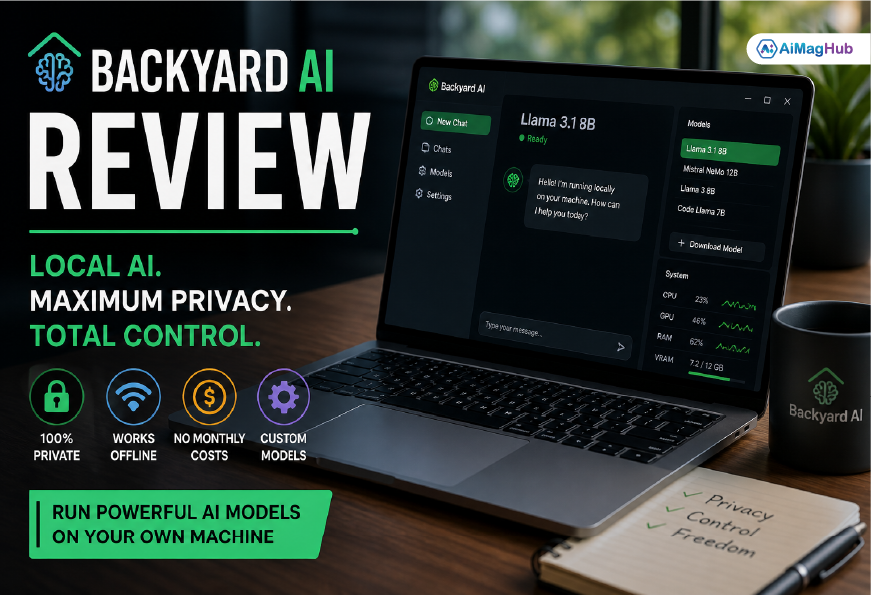
AI tools are everywhere now, but not everyone is comfortable sending their data to the cloud. That’s exactly where local AI platforms like Backyard AI step in. In this Backyard AI Review, we’re going beyond surface-level claims and actually looking at how it performs in real use—what works, what doesn’t, and who it’s really for.
Why does this matter? Because privacy concerns aren’t just theoretical anymore. Organizations like the Electronic Frontier Foundation have been highlighting the risks of centralized AI systems for years, especially when it comes to data handling. At the same time, frameworks from the National Institute of Standards and Technology emphasize minimizing unnecessary data exposure.
Backyard AI fits right into this conversation.
Quick Answer
Backyard AI is a local AI platform that runs language models directly on your computer, offering strong privacy and zero ongoing costs—but it needs decent hardware and doesn’t always match the performance of top cloud AI tools.
What Is Backyard AI?
Backyard AI (previously known as Faraday.dev) is a tool that lets you run large language models locally instead of relying on cloud services from companies like OpenAI or Google.
Instead of sending prompts over the internet, everything happens on your own machine.
That means:
- Your data stays private
- You don’t pay per request
- You can even use it offline
It’s especially popular among developers, AI hobbyists, and people working with sensitive information.
How Backyard AI Actually Works
At a basic level, Backyard AI acts as a bridge between you and open-source AI models like:
- Llama 3 and Llama 3.1
- Mistral and Mistral NeMo
- Other community-trained models
You download these models onto your system, and Backyard AI provides a clean interface to interact with them.
There’s also something called quantization, which basically compresses these models so they can run on regular hardware. It’s a trade-off—less resource usage, but sometimes slightly lower quality.
System Requirements (What You Really Need)
This is one area where expectations need to be realistic.
| Setup Level | Specs |
|---|---|
| Minimum | 8GB RAM, basic CPU (very slow performance) |
| Mid-Level | 16GB RAM, entry GPU |
| Recommended | RTX 3060 (12GB VRAM), 16–32GB RAM |
You can run Backyard AI without a GPU, but honestly, it’s not a great experience. Responses can take a while, and it feels sluggish.
Key Features Worth Knowing
Full Local Privacy
This is the biggest advantage. Your data never leaves your system, which aligns with recommendations from organizations like the National Institute of Standards and Technology.
If privacy matters to you, this alone is a strong reason to consider it.
Offline Usage
Once everything is installed, you don’t need internet access.
That’s useful for:
- Secure work environments
- Travel or low-connectivity situations
- Private research
Flexible Model Selection
You’re not locked into one AI model.
You can switch between:
- Faster models for quick tasks
- Larger models for better reasoning
This flexibility is something cloud platforms rarely offer at this level.
No Subscription Costs
After setup, it’s basically free to use.
Compare that with API-based tools where costs increase with usage—it’s a big difference, especially if you’re running frequent tasks.
Real-World Use Cases
Content Writing
Backyard AI works well for:
- Drafting blog posts
- Brainstorming ideas
- Creating outlines
But it does need some editing. It’s not always as polished as high-end cloud AI.
Coding Support
Developers use it for:
- Writing small code snippets
- Debugging
- Documentation
It’s helpful, but not always as accurate as more advanced systems.
Handling Sensitive Data
This is where Backyard AI really stands out.
If you’re working with:
- Business reports
- Legal drafts
- Internal documents
Running everything locally is a huge advantage.
Performance: The Honest Truth
This part really depends on your setup.
What Works Well
- Fast responses with a good GPU
- No delays from internet calls
- Reliable for basic tasks
Where It Struggles
- Smaller models feel limited
- Setup takes time
- Not as refined as cloud AI
So yeah, it’s powerful—but not perfect.
Backyard AI vs Cloud AI
| Feature | Backyard AI | Cloud AI |
|---|---|---|
| Privacy | High | Medium |
| Cost | One-time setup | Ongoing |
| Performance | Depends on hardware | Consistent |
| Offline Access | Yes | No |
| Ease of Use | Moderate | Very easy |
Pros and Cons
Pros
- Strong privacy
- No recurring fees
- Works offline
- Customizable setup
- Great for experimentation
Cons
- Needs good hardware
- Setup isn’t beginner-friendly
- Output quality varies
- Slower without GPU
Is Backyard AI Safe?
From a privacy perspective, yes—it’s actually one of the safer options out there.
Since everything runs locally, you avoid risks like:
- Data leaks
- External tracking
- API misuse
Still, you should be careful about where you download models from and keep your system secure.
Frequently Asked Questions
Is Backyard AI free?
Yes, aside from the hardware you need to run it.
Can I use it without internet?
Yes. Once models are installed, it works completely offline.
Is it better than ChatGPT?
Not exactly. It depends on what you need—privacy vs performance.
How much VRAM do I need?
At least 8GB, but 12GB or more is recommended for smooth performance.
Final Verdict
After going through this full Backyard AI Review, here’s the honest takeaway:
Backyard AI is a powerful tool—but it’s not built for everyone.
If you:
- Care about privacy
- Want to avoid monthly AI costs
- Like experimenting with different models
Then it’s definitely worth trying.
But if you just want something simple that works instantly, cloud AI tools are still easier.
Actionable Takeaways
- Use Backyard AI for private or offline tasks
- Invest in a GPU for better performance
- Try different models to find what works best
- Combine it with cloud AI if needed
Final Thoughts
Local AI is growing fast, and tools like Backyard AI are leading that shift. It’s not perfect yet, and yeah, it requires a bit of effort to set up—but once it’s running properly, it gives you something cloud tools can’t: full control.
And honestly, that’s becoming more important than ever.
Visit: Aimaghub